Philips Hue or Govee LED Strip? For TV backlighting?

Philips Hue is the better choice for TV backlighting if you want a polished smart-home setup, coordinated lighting throughout your room, and flexible control options. Govee is the better choice for most budget-conscious buyers who want colorful lights that react to what’s on their TV screen without investing in a larger lighting system. The right option depends on your budget, TV setup, and preferred lighting experience.
Philips Hue vs. Govee: Quick Comparison
The biggest difference is how each system creates ambient light behind your television. Philips Hue focuses on a connected lighting ecosystem, while Govee offers TV backlighting kits that use a camera to match the colors on your screen.
| Feature | Philips Hue | Govee |
|---|---|---|
| Best for | Whole-room smart lighting | Affordable TV immersion |
| TV color syncing | Screen Sync, compatible TV apps, or HDMI sync boxes | Camera-based screen color matching |
| Installation | Depends on the chosen sync method | Adhesive strip and camera |
| Smart-home integration | Strong Hue ecosystem | Govee app and supported voice controls |
| Additional lighting | Expand with compatible Hue lights | Expand with compatible Govee lights |
| Budget | Generally higher for a complete setup | Generally lower for a starter kit |
| Main drawback | Additional hardware may increase the cost | Camera placement and calibration affect results |
| Availble |  | |
Philips Hue offers several ways to synchronize lighting, including its Play Screen Sync device and HDMI sync boxes. Govee’s TV Backlight 3 Lite uses a camera to capture screen colors, with options for different TV sizes.
What Makes Philips Hue Better for TV Backlighting?
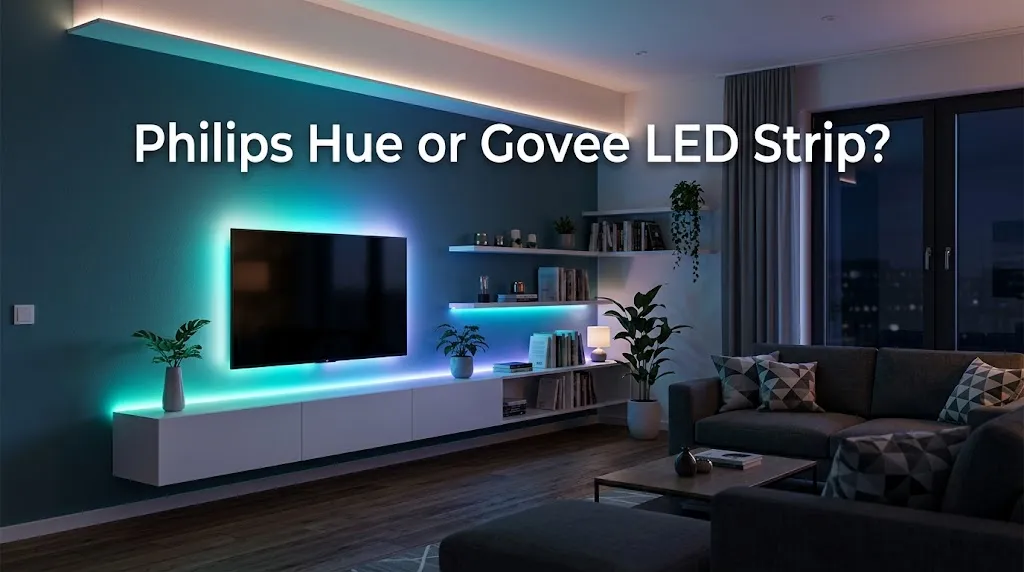
Philips Hue is a strong choice if your television is part of a larger smart-home setup. Instead of treating the TV strip as an isolated accessory, you can build a lighting system that includes compatible lamps, bulbs, and other color-capable lights.
More control over your entire room
Imagine watching a movie while the lights behind your TV glow orange and purple, with compatible lamps around the room creating a coordinated effect.
Hue’s entertainment lighting system is designed for this type of experience. You can expand beyond the television and create scenes that suit movies, music, gaming, or everyday use. The precise features depend on your selected lights and sync method.
Several ways to synchronize screen content
Philips Hue’s newer options make the setup decision more flexible.
- Play Screen Sync: Uses a camera and automatic calibration to capture colors across the television screen. It is designed to work with TVs up to 85 inches without requiring an HDMI connection for the sync device.
- Play HDMI Sync Box 4K: Synchronizes compatible HDMI-connected content and supports up to 4K at 60 Hz.
- Play HDMI Sync Box 8K: Supports advanced HDMI setups, including 4K at 120 Hz and 8K at 60 Hz.
- Compatible TV sync apps: Certain Samsung and LG televisions can use supported Hue sync apps without a separate HDMI sync box.
These methods are not interchangeable, so check compatibility before buying. For example, a TV’s built-in streaming apps and a connected gaming console may require different syncing methods.
A better fit for an existing Hue setup
Already own Philips Hue bulbs or lamps? Adding compatible entertainment lighting can make your living room feel more unified.
This is particularly useful if you want the same lighting system to support different activities. You might use a soft, warm scene for reading, a dimmed setup for movies, and more colorful lighting for gaming.
However, not every Hue product works with every sync method. Confirm that the specific lightstrip is supported before purchasing it.
Where Philips Hue falls short
The biggest concern is the total cost.
The price of the strip alone may not represent the full investment. Depending on the product and setup, you may also need a sync device, compatible lights, or a Hue Bridge.
Philips Hue’s US entertainment product page lists the Play Screen Sync at $119.99 and the Play HDMI Sync Box 4K at $149.99. The gradient lightstrip is a separate purchase, so check the current price and included accessories for your chosen kit.
Hue is harder to justify if you only want a colorful glow behind one TV and have no interest in expanding your lighting system.
Why Govee Is a Strong Choice for TV Backlighting
Govee makes sense for people who want screen-reactive lighting without building an entire smart-lighting ecosystem.
Its TV backlight kits combine an LED strip with a camera-based system that captures the colors displayed on the television. This allows the lights to react to content from different sources without relying exclusively on a particular HDMI signal.
Screen-matching lighting without an HDMI sync box
The Govee TV Backlight 3 Lite uses a camera mounted on the television to capture screen colors.
This approach is helpful when you watch content through several sources, such as:
- Built-in smart TV streaming apps
- A connected streaming device
- A gaming console
- A cable or satellite box
Because the camera observes the screen itself, the system can respond to content displayed by these different sources. Camera placement, calibration, and room lighting can still affect the result.
Useful features at a lower entry price
At the time of research, Govee’s US product page listed the TV Backlight 3 Lite at a promotional price of $69.99 for a selected size, with other size options available. Prices can change, so check the current listing for your TV.
The product includes several useful features:
- RGBICW lighting for segmented color effects and added white-light capability
- A camera with fisheye correction
- Automatic shutoff when a blank or static screen is detected
- App, control-box, and supported voice control
- Compatibility with Govee DreamView lighting synchronization
The 55–65-inch version uses a single camera and an approximately 11.8-foot strip. The product line also offers options for smaller and larger TVs.
For a buyer who mainly wants a colorful wall behind the screen, that is a practical package without a large initial investment.
Govee works well for gaming and movie nights
Picture a gaming setup where the screen changes from a blue environment to a bright orange explosion. A camera-based backlight can capture those changes and reproduce corresponding colors around the TV.
The effect can make the viewing area feel larger and more immersive, especially in a dim room.
It can also add atmosphere to movies and sports. However, the lights will not always match every pixel perfectly, and fast-changing scenes may look different from what you see on the display.
Where Govee falls short
The camera is both a useful feature and a potential drawback.
It must have a clear view of the screen. Bright reflections, nearby light sources, incorrect calibration, or an unsuitable mounting position can reduce color accuracy.
You should also check the camera’s visibility before buying. If you dislike having an accessory mounted on top of your television, a camera-based kit may not be the right choice.
Govee’s TV Backlight 3 Lite also requires a 2.4 GHz Wi-Fi connection for its app connectivity. Its standard kit is designed around its own app and compatible Govee devices, so do not assume that it will integrate with every smart-home platform or third-party light.
Which One Is Easier to Set Up?
For a straightforward, single-TV installation, Govee is often the more direct option. You attach the strip, position the camera, calibrate the viewing area, and configure the lights in the app.
Philips Hue can be equally manageable with the right equipment, but the process varies by sync method.
| Setup factor | Philips Hue | Govee |
|---|---|---|
| Attaching the strip | Uses the supplied mounting system | Uses adhesive mounting |
| Capturing screen colors | Depends on Screen Sync, sync box, or TV app | Uses a camera |
| Calibration | Depends on the selected system | Camera calibration required |
| Additional hardware | May be needed for the selected setup | Camera and controller included with compatible kits |
| Expanding room lighting | Add supported Hue products | Add compatible Govee products |
Example: A wall-mounted TV in a living room
If you want subtle lighting behind a wall-mounted TV, Govee may be easier to justify. Choose a kit made for your screen size and ensure there is enough room to attach the strip and position the camera.
If you already use Hue lighting throughout the room, Philips Hue may be a better long-term choice. The extra setup effort can pay off when you want your TV lighting and other lamps to work together.
Example: A high-refresh-rate gaming TV
If you play games at 4K and 120 Hz, pay attention to the signal path rather than just the lightstrip.
Philips Hue’s 8K sync box supports 4K at 120 Hz, while its 4K sync box supports up to 4K at 60 Hz. A camera-based Govee kit observes the displayed image instead of processing the video through an HDMI sync box, which avoids that particular HDMI passthrough decision. You should still verify the exact requirements of your TV, console, and chosen lighting kit.
Which Gives You Better Value for Money?
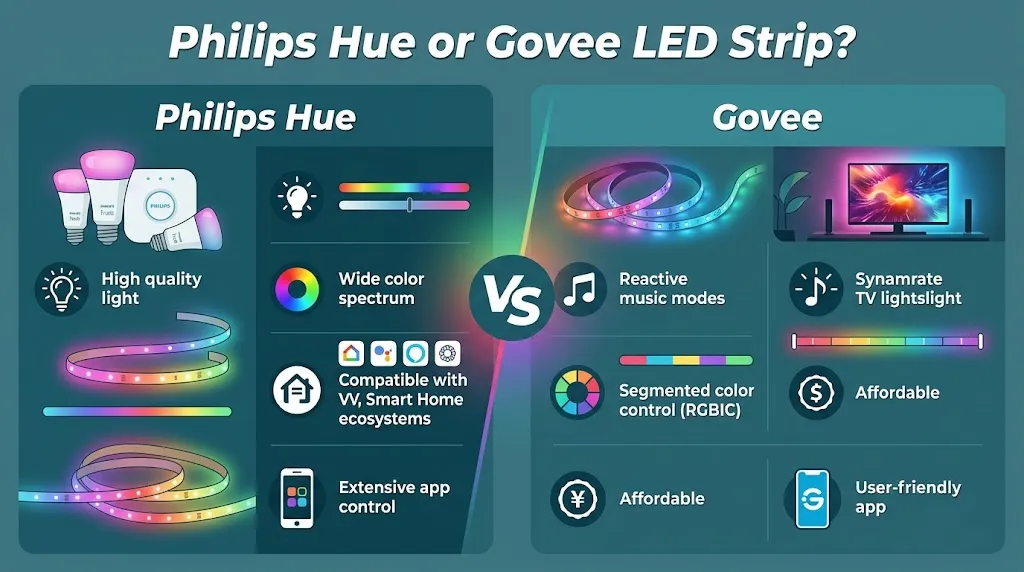
For most people buying a first TV backlight, Govee offers the more affordable starting point.
Philips Hue may provide better value over time if you already own compatible Hue equipment or intend to expand your entertainment lighting across the room.
Consider the complete cost before making a decision:
- The lightstrip or TV backlight kit
- Any required sync hardware
- A compatible bridge, if needed
- Additional lamps or light bars
- Mounting accessories, if your setup requires them
Do not compare a standalone Hue strip with a complete Govee camera kit and assume the prices cover the same features. Compare the full setups you would actually use.
How to Choose the Right TV Backlight
Your viewing habits and existing equipment matter more than the brand name alone.
Choose Philips Hue if:
- You already own compatible Hue lights.
- You want synchronized lighting throughout the room.
- You value different ways to connect and control entertainment lighting.
- You are comfortable paying more for a broader system.
Choose Govee if:
- You want to keep the initial cost down.
- Your main goal is screen-reactive lighting behind one television.
- You want a kit with a camera, controller, and lightstrip.
- You do not mind mounting and calibrating a camera.
Before ordering either system, measure your television and check the product’s supported screen sizes. Also consider how close the TV sits to the wall, whether the back panel allows easy strip installation, and whether a camera would obstruct anything.
Frequently Asked Questions
Choosing between Philips Hue and Govee LED strips for TV backlighting can be tricky, especially when you compare price, screen synchronization, installation, and smart-home compatibility. These frequently asked questions cover the key differences to help you choose the right TV backlighting system for your setup.
Is Philips Hue better than Govee for TV backlighting?
Philips Hue is generally better for a coordinated smart-lighting system, especially if you already own compatible Hue products. Govee is often the better value for a single television when your main goal is colorful, screen-reactive backlighting.
Does Govee sync with Netflix and other streaming apps?
Govee’s camera-based TV backlights can capture colors displayed by built-in streaming apps because they observe the television screen. You do not need the content to pass through a dedicated HDMI sync box, although camera placement and calibration affect the result.
Do you need a Philips Hue Sync Box for TV backlighting?
Not necessarily. Philips Hue offers multiple synchronization methods, including Play Screen Sync and compatible TV sync apps, in addition to HDMI sync boxes. The right option depends on your TV, the lightstrip you choose, and whether you want to sync built-in streaming apps or HDMI-connected devices.
Final Verdict
Govee is the better overall starting point for most people who want TV backlighting on a budget. It offers camera-based screen matching, app control, and colorful lighting in a relatively affordable kit.
Philips Hue is the stronger choice if you want a connected lighting experience that extends beyond the television and you are willing to invest in the necessary equipment.