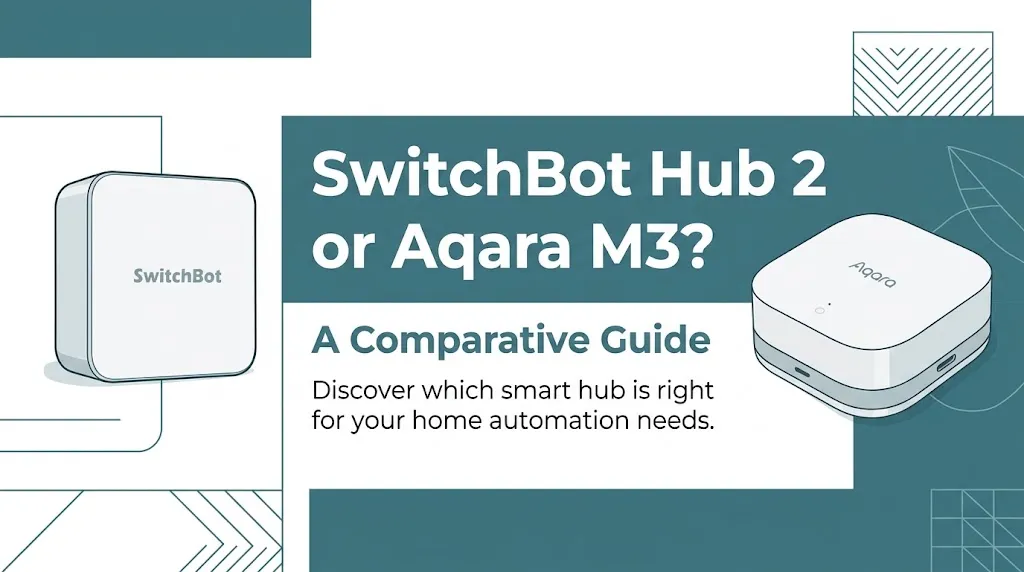
SwitchBot Hub 2 or Aqara M3? For Matter compatibility?

The SwitchBot Hub 2 and Aqara Hub M3 both help connect smart home devices to a Matter-compatible ecosystem, but they serve different needs. SwitchBot Hub 2 is a strong choice for controlling compatible SwitchBot devices and infrared appliances, while Aqara Hub M3 is better suited to a broader smart home built around Aqara devices, Zigbee, Thread, and advanced automation. The right choice depends on your existing devices and preferred platform.
How the Two Hubs Handle Matter
Matter is a smart home standard that lets compatible devices from different brands work together through supported platforms such as Apple Home, Google Home, Amazon Alexa, and Samsung SmartThings. However, Matter compatibility does not mean every device feature will work in every app.
The main difference is that SwitchBot Hub 2 primarily acts as a bridge for supported SwitchBot devices, while Aqara Hub M3 combines a Matter controller, a Thread border router, and a bridge for compatible Aqara Zigbee devices.
SwitchBot Hub 2: Best for Existing SwitchBot Devices
The SwitchBot Hub 2 is designed to connect supported SwitchBot products with other smart home platforms. It combines infrared remote control with temperature, humidity, and light sensing, making it useful for everyday home automation.
Its Matter bridge can expose compatible SwitchBot devices to supported ecosystems, including Apple Home. This can help you control devices such as compatible curtains, locks, and other accessories without replacing them with newer products.
Key advantages include:
- Matter bridging: Connect supported SwitchBot Bluetooth devices to compatible smart home platforms.
- Infrared control: Operate compatible TVs, air conditioners, and other appliances that use infrared remotes.
- Built-in sensors: Monitor room temperature, humidity, and light levels.
- Simple setup: A practical option if most of your existing smart home products come from SwitchBot.
There are limits. Hub 2 supports a maximum of eight subdevices synchronized with third-party services, and Matter exposure varies by device, platform, and feature. It also does not provide the Thread border-router functionality offered by Aqara Hub M3.
Aqara Hub M3: Best for a More Flexible Matter Smart Home
The Aqara Hub M3 is built for people who want to combine several smart home technologies under one hub. It supports Zigbee, Thread, dual-band Wi-Fi, and Bluetooth, along with Matter controller and bridge functions.
The M3 can bring supported Aqara Zigbee devices into Matter-compatible platforms and act as a controller for compatible third-party Matter devices within Aqara Home. It also functions as a Thread border router, helping connect Matter-over-Thread accessories.
Its main strengths include:
- Broader protocol support: Works with compatible Zigbee and Thread devices.
- Matter controller: Adds supported third-party Matter devices to Aqara Home.
- Matter bridge: Exposes compatible Aqara Zigbee devices to other supported ecosystems.
- Local automation: Supports local processing for many automations, reducing reliance on the cloud for those tasks.
- Flexible networking: Supports 2.4 GHz and 5 GHz Wi-Fi, Ethernet through Power over Ethernet (PoE), and USB-C power.
- Infrared control: Operates compatible IR appliances and can report status for supported devices.
Aqara advertises support for up to 127 Thread and Zigbee devices, with repeaters needed to reach the maximum. Actual compatibility depends on the device, firmware, and ecosystem. Some third-party integrations also remain limited or experimental.
SwitchBot Hub 2 vs. Aqara Hub M3: Feature Comparison
| Feature | SwitchBot Hub 2 | Aqara Hub M3 |
|---|---|---|
| Main purpose | Bridge for supported SwitchBot devices | Multi-protocol smart home hub |
| Matter controller | Not its primary role | Yes |
| Matter bridge | Yes | Yes |
| Zigbee support | No | Yes |
| Thread border router | No | Yes |
| Infrared remote control | Yes | Yes |
| Temperature and humidity sensors | Built in | Requires compatible external sensors for these readings |
| Light sensor | Built in | No equivalent built-in ambient light sensor listed in its core specifications |
| Wi-Fi | 2.4 GHz | 2.4 GHz and 5 GHz |
| Wired networking | No Ethernet port | Ethernet via PoE |
| Advertised device capacity | Up to 8 synchronized subdevices | Up to 127 Thread/Zigbee devices |
| Best suited for | Existing SwitchBot accessories | Mixed-protocol and Aqara-centered homes |
| Available |  | |
The capacity figures refer to different things: SwitchBot lists a limit for subdevices synchronized with third-party services, while Aqara’s figure refers to Thread and Zigbee devices. They should not be treated as a direct performance comparison.
Which Hub Is Better for Different Matter Setups?
The best option depends on what you want Matter to do in your home. Here are three practical situations to help you choose.
Choose SwitchBot Hub 2 for infrared appliances and SwitchBot accessories
Imagine you already own SwitchBot curtains and want to control them through Apple Home. You also use an infrared remote for your air conditioner.
Hub 2 makes sense because it can bridge supported SwitchBot accessories and control compatible infrared appliances. Its built-in temperature and humidity sensors also provide useful information for everyday routines.
Before buying, check whether your exact device and desired controls are exposed through Matter. Infrared commands and advanced SwitchBot functions do not automatically become available in every third-party app.
Choose Aqara Hub M3 for Thread and Zigbee devices
Suppose you want to combine Aqara door sensors, compatible Thread accessories, and Matter devices from other brands.
The M3 is the stronger fit because it can act as a Matter controller, bridge compatible Aqara Zigbee products, and provide Thread border-router functionality. It also supports local automation for many supported routines.
This flexibility is especially useful when you’re building a smart home gradually instead of committing to one type of device.
Choose based on your existing smart home platform
If your home already uses Apple Home, Google Home, Alexa, or SmartThings, both hubs may be useful—but neither guarantees universal compatibility.
Check three things before choosing:
- Whether your platform supports the hub’s specific Matter features.
- Whether your exact accessory is compatible with that hub.
- Whether the feature you need, such as dimming, temperature reporting, or lock control, works in your preferred app.
Remember that Matter support does not replace every manufacturer’s app. You may still need SwitchBot or Aqara Home to configure advanced settings and device-specific automations.
Matter Compatibility Limitations You Should Know
Matter makes smart home integration easier, but there are several differences that can affect your purchase.
Matter controller vs. Matter bridge
These terms describe different jobs.
A Matter controller commissions and manages Matter devices on a compatible network. Aqara Hub M3 provides this function within its supported setup.
A Matter bridge translates supported devices that use another protocol into devices that a Matter ecosystem can recognize. Both hubs offer bridging capabilities, but the device types and functions they expose differ.
For example, an existing Aqara Zigbee sensor may be exposed to Apple Home through the M3. A compatible SwitchBot Bluetooth accessory may instead use Hub 2 as its bridge.
Matter does not make every device feature compatible
A device can appear in a smart home app without exposing every function available in its original manufacturer’s app.
A SwitchBot accessory may offer more settings in SwitchBot’s app than through Matter. Similarly, an Aqara device may retain advanced configuration options in Aqara Home that are not available in Apple Home or Google Home.
Review the manufacturer’s current compatibility list before buying. This is particularly important for locks, climate controls, and devices that rely on specialized automations.
Do you need another smart home hub?
Possibly. The answer depends on the ecosystem you use and the network your accessories require.
- For SwitchBot Hub 2: A compatible Matter controller, such as a supported Apple Home or Google Home setup, is needed to integrate bridged devices into that ecosystem.
- For Aqara Hub M3: The hub provides Matter controller and Thread border-router functions, but your chosen platform and accessory must still support the intended integration.
You do not necessarily need both hubs. Buying two hubs makes sense only if their distinct capabilities solve a real problem in your setup.
What About Price and Value?
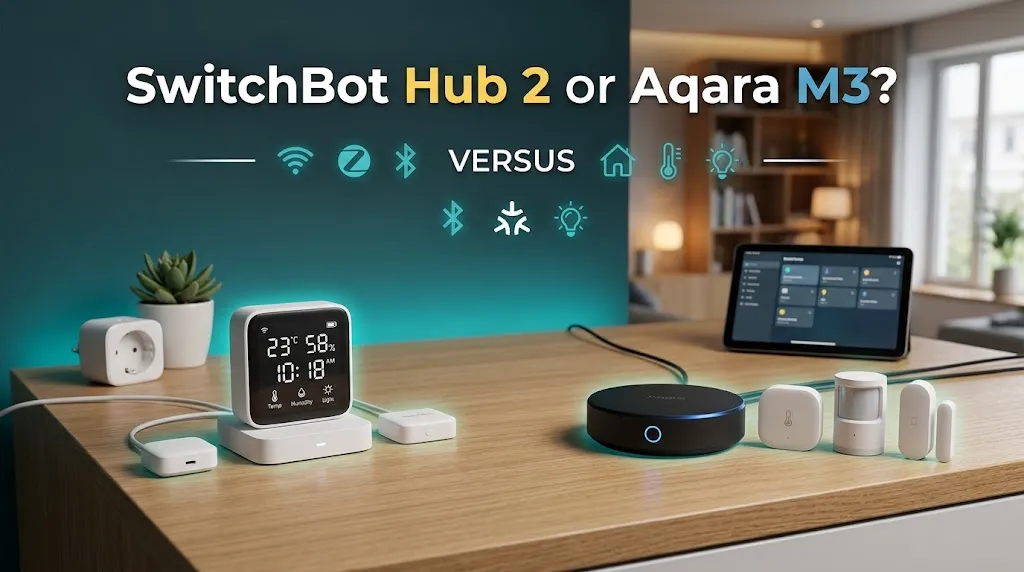
Aqara Hub M3 is positioned as a more feature-rich hub, while SwitchBot Hub 2 focuses on bridging compatible SwitchBot accessories and controlling infrared appliances.
Aqara Hub M3 has been listed at $159.99 on Aqara’s US store, although prices, promotions, and availability can change.
Rather than comparing purchase prices alone, consider the extra equipment you would otherwise need. If you already own SwitchBot products and simply want Matter integration, Hub 2 may be the more economical choice. If you need Thread support, Zigbee bridging, local automation, and wired networking, the M3’s broader capabilities may justify its higher price.
Frequently Asked Questions
Here are answers to the most common questions about SwitchBot Hub 2 vs. Aqara Hub M3, including their Matter compatibility, smart home integration, and key differences. These FAQs will help you decide which hub best fits your existing devices and home automation needs.
Is SwitchBot Hub 2 or Aqara Hub M3 better for Matter compatibility?
Aqara Hub M3 is the stronger all-around choice for a mixed smart home because it supports Matter controller functions, Thread, and Zigbee bridging. SwitchBot Hub 2 is a better fit if your main goal is connecting supported SwitchBot accessories and controlling infrared appliances.
Can SwitchBot Hub 2 and Aqara Hub M3 work together?
Yes, their supported devices can coexist in a compatible Matter ecosystem, such as Apple Home or Google Home, when each device is properly bridged or commissioned. You should verify that the specific accessories and features you want are supported by the platform.
Does Aqara Hub M3 support Matter over Thread?
Yes. Aqara Hub M3 acts as a Thread border router and Matter controller, allowing it to support compatible Matter-over-Thread accessories. The accessory must still meet the relevant compatibility requirements and be configured correctly.
Final Verdict
The Aqara Hub M3 is the overall winner for Matter compatibility. It supports Matter controller functions, Zigbee device bridging, Thread border routing, and advanced local automation, making it a better choice for a mixed-brand smart home.
However, SwitchBot Hub 2 is the better choice for SwitchBot users who want to connect compatible accessories, control infrared appliances, and use built-in temperature and humidity sensors.
Choose Aqara Hub M3 for greater smart home flexibility. Choose SwitchBot Hub 2 if you mainly need reliable integration for your existing SwitchBot devices.